

Trust is not optional
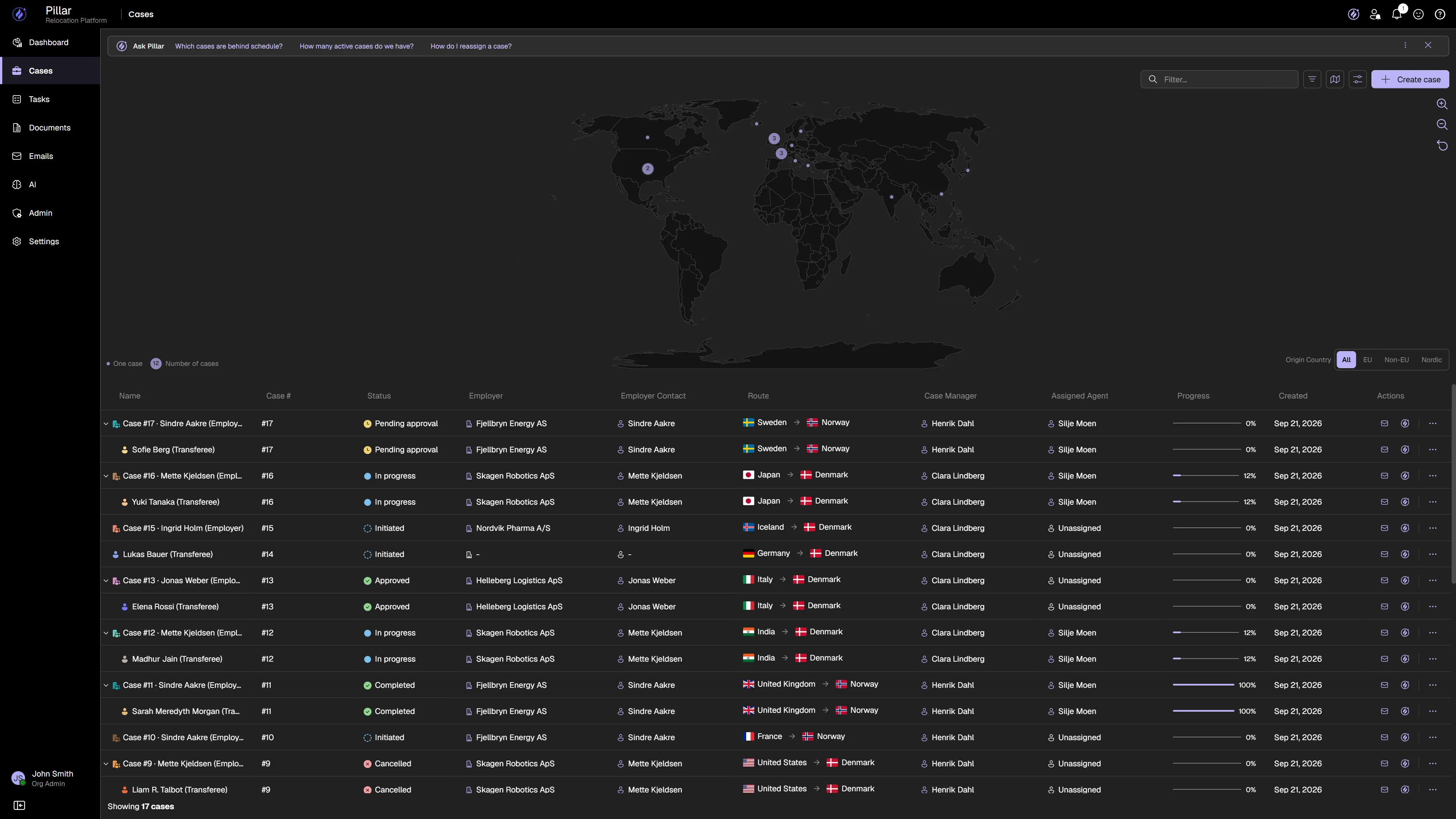
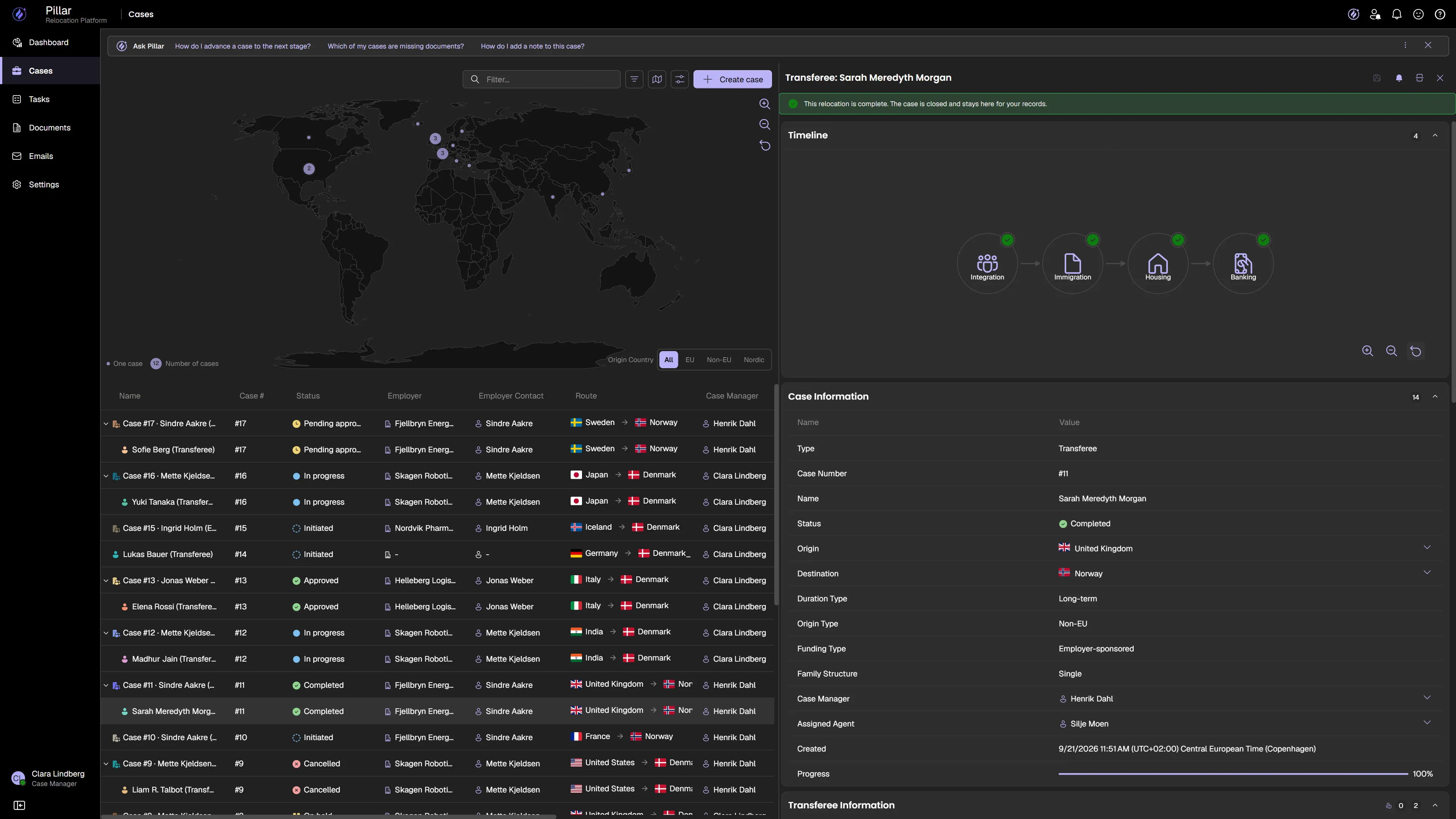
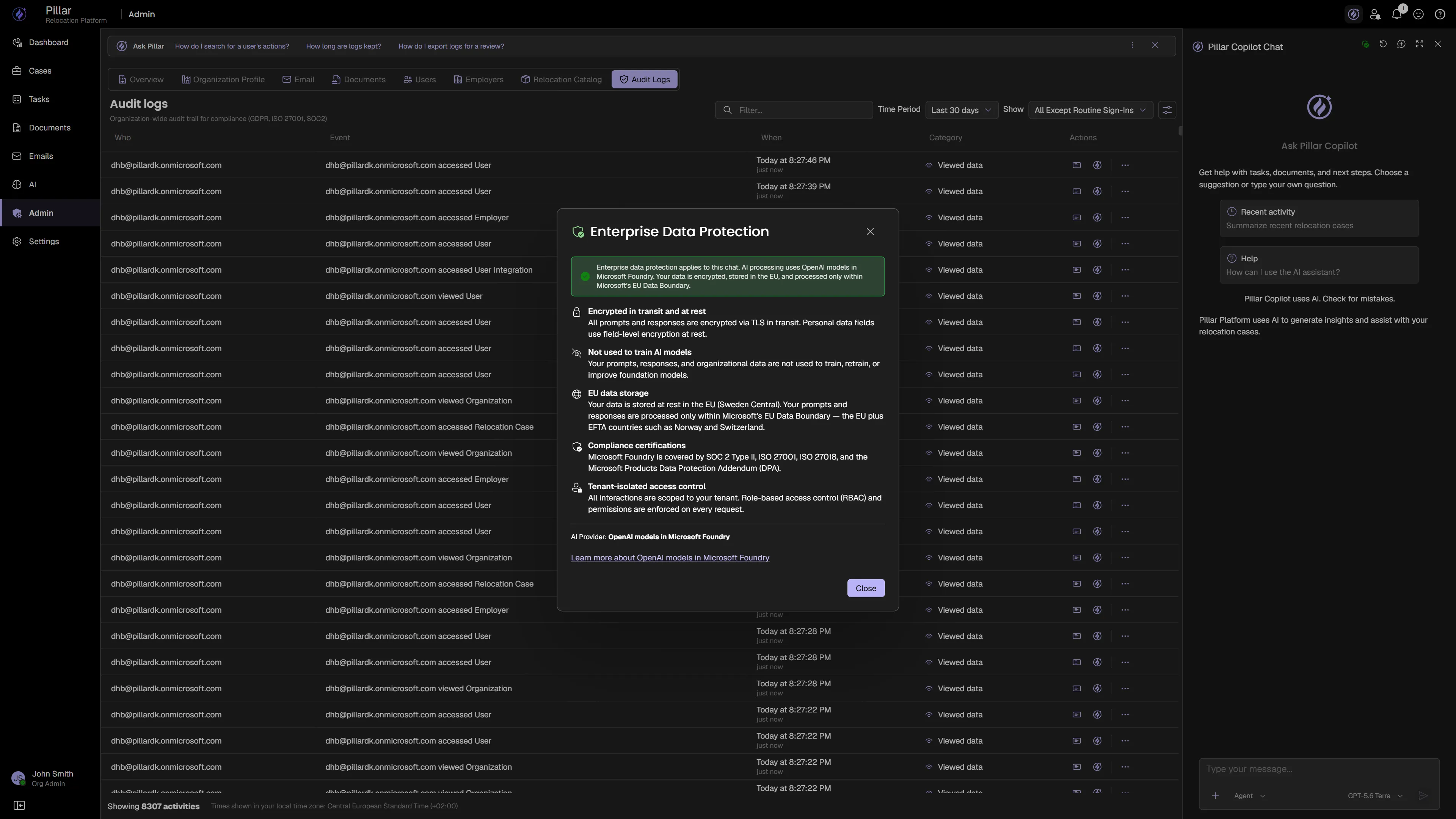
Relocation handles identity, legal status, and financial data across borders. A mistake isn't a bug — it's a blocked visa, a delayed family, a failed move. PILLAR is built for that level of responsibility — not as a checklist, but as architecture.
- Single sign-on
- Complete tenant isolation
- Encryption at every layer
- Full audit trail
- Role-based access control
- Granular data access
- PII protection in logs
- GDPR ready
Designed with GDPR and ISO 27001 principles in mind.
Every step of the relocation — covered.
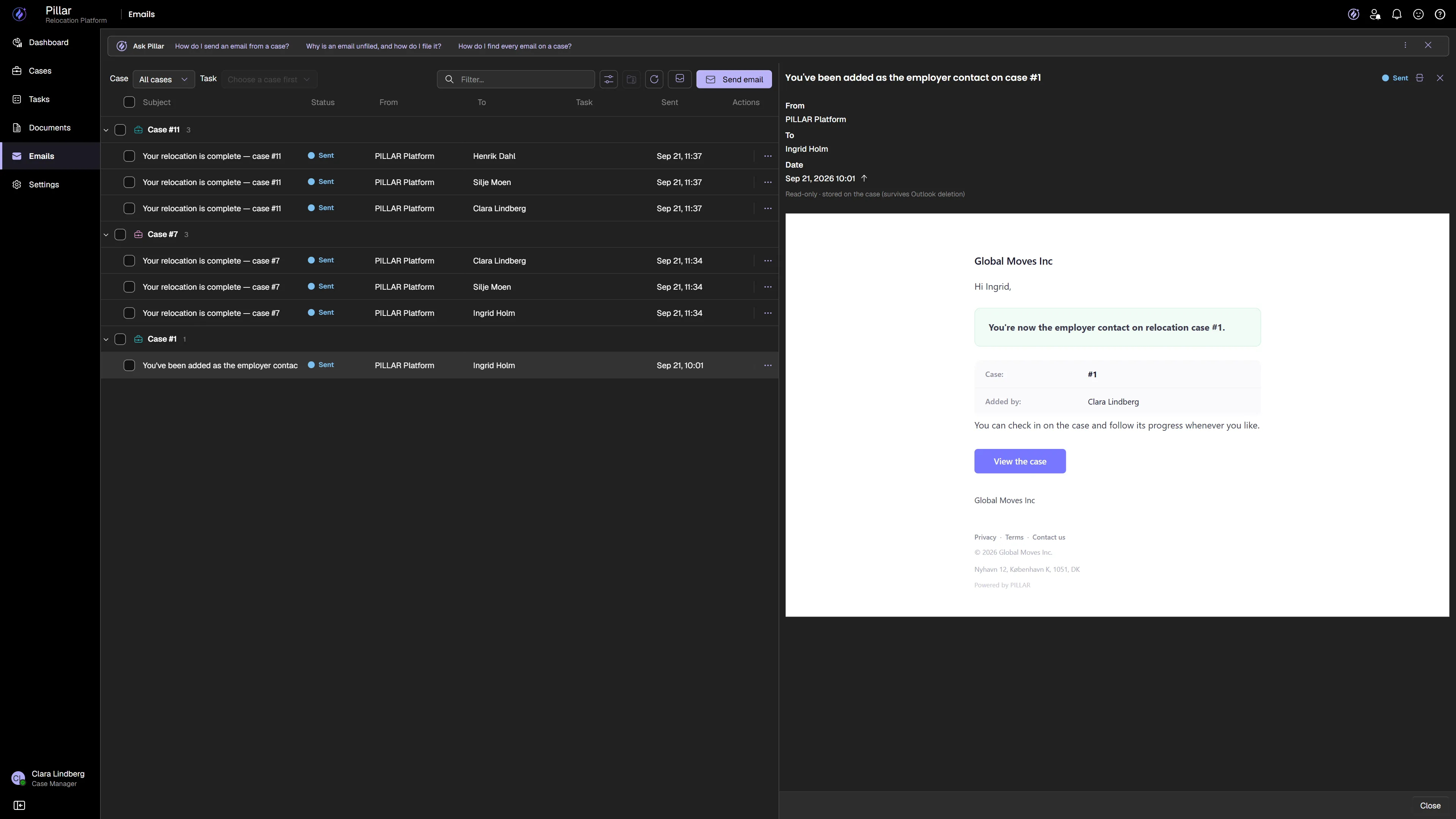
A single relocation touches documents, signatures, appointments, and dozens of follow-ups. Most teams juggle separate tools for each. PILLAR handles them all — inside the case, inside the workflow, under one roof.
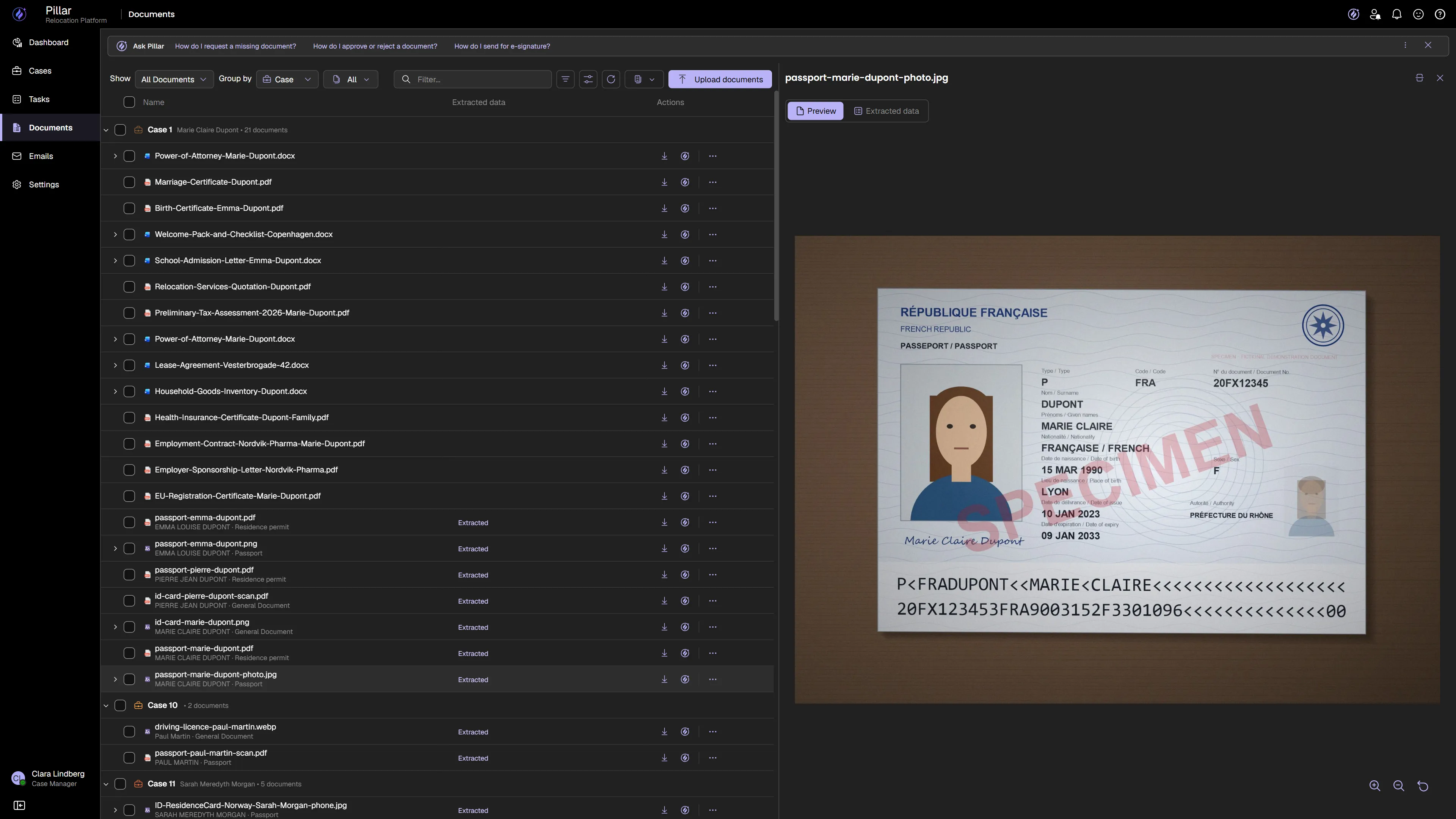
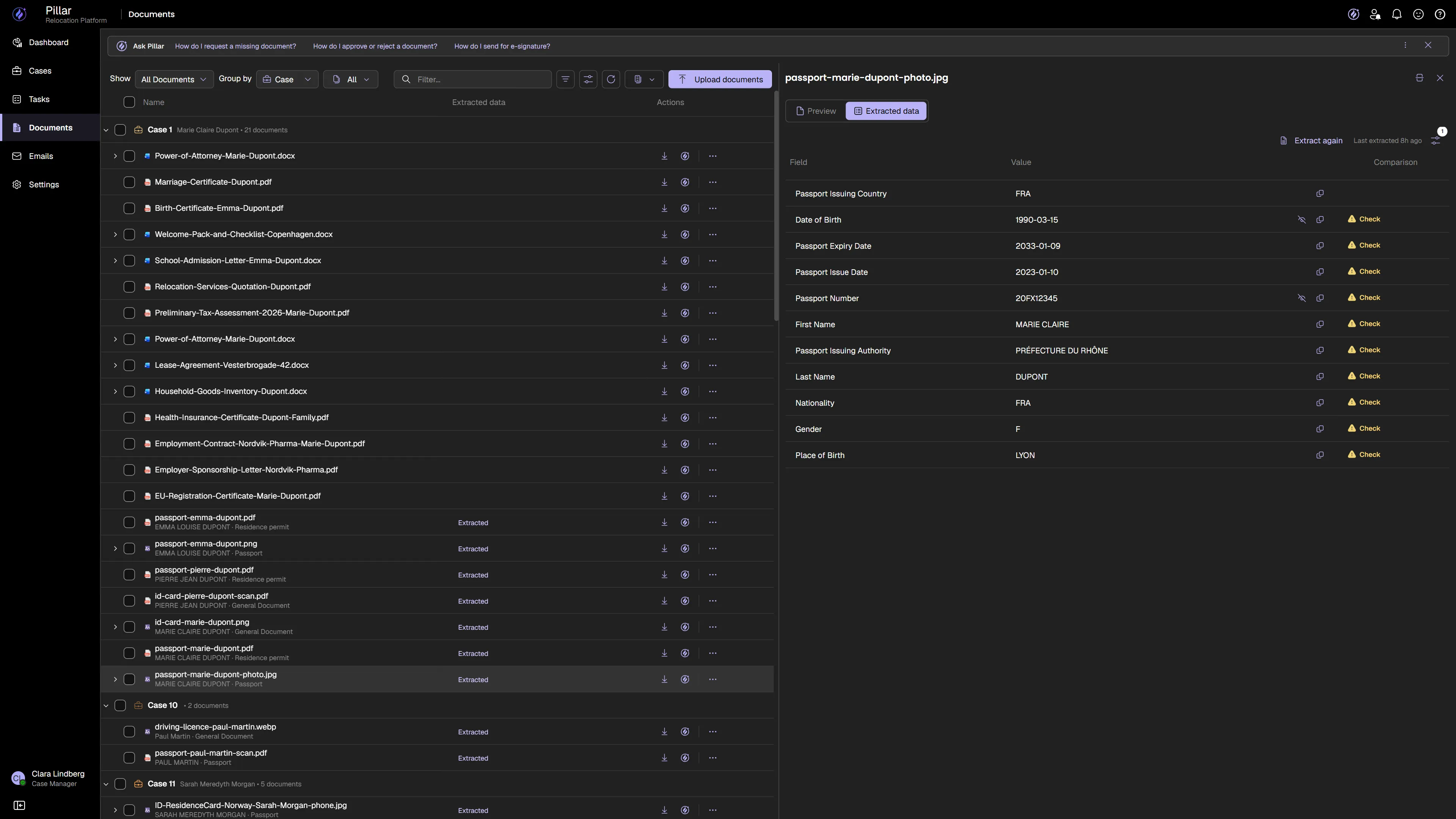
Upload a passport, a sponsorship letter, a contract. PILLAR reads it and fills the transferee profile itself — every value marked Found, each one showing the document and date it came from. No retyping, no transcription errors, and always an answer to "where did this come from?"
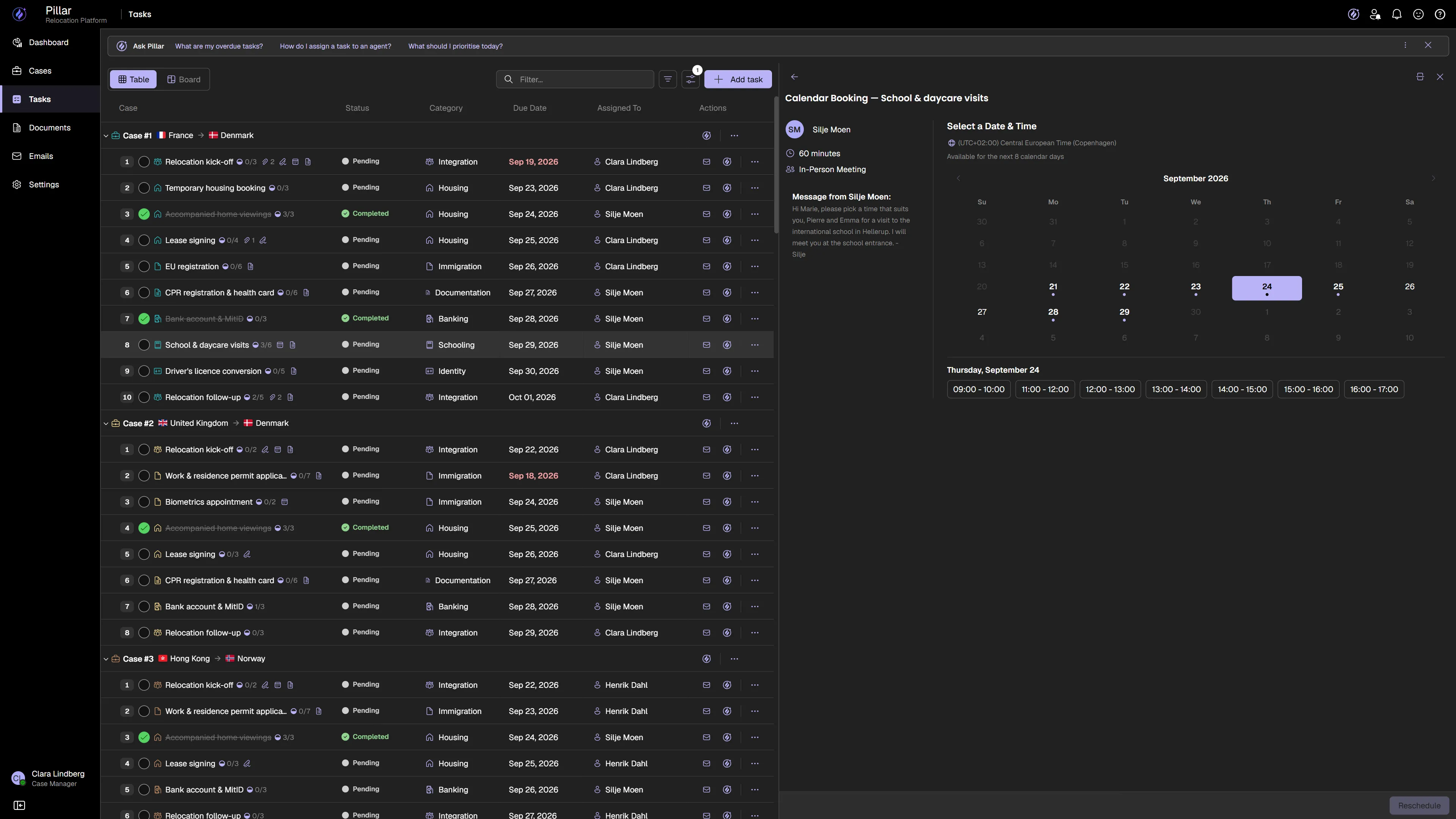
Agents publish their availability. Transferees book a slot. Confirmed appointments appear on the case timeline and sync to Outlook. Visa interviews, housing viewings, school visits — scheduled in clicks, not emails.
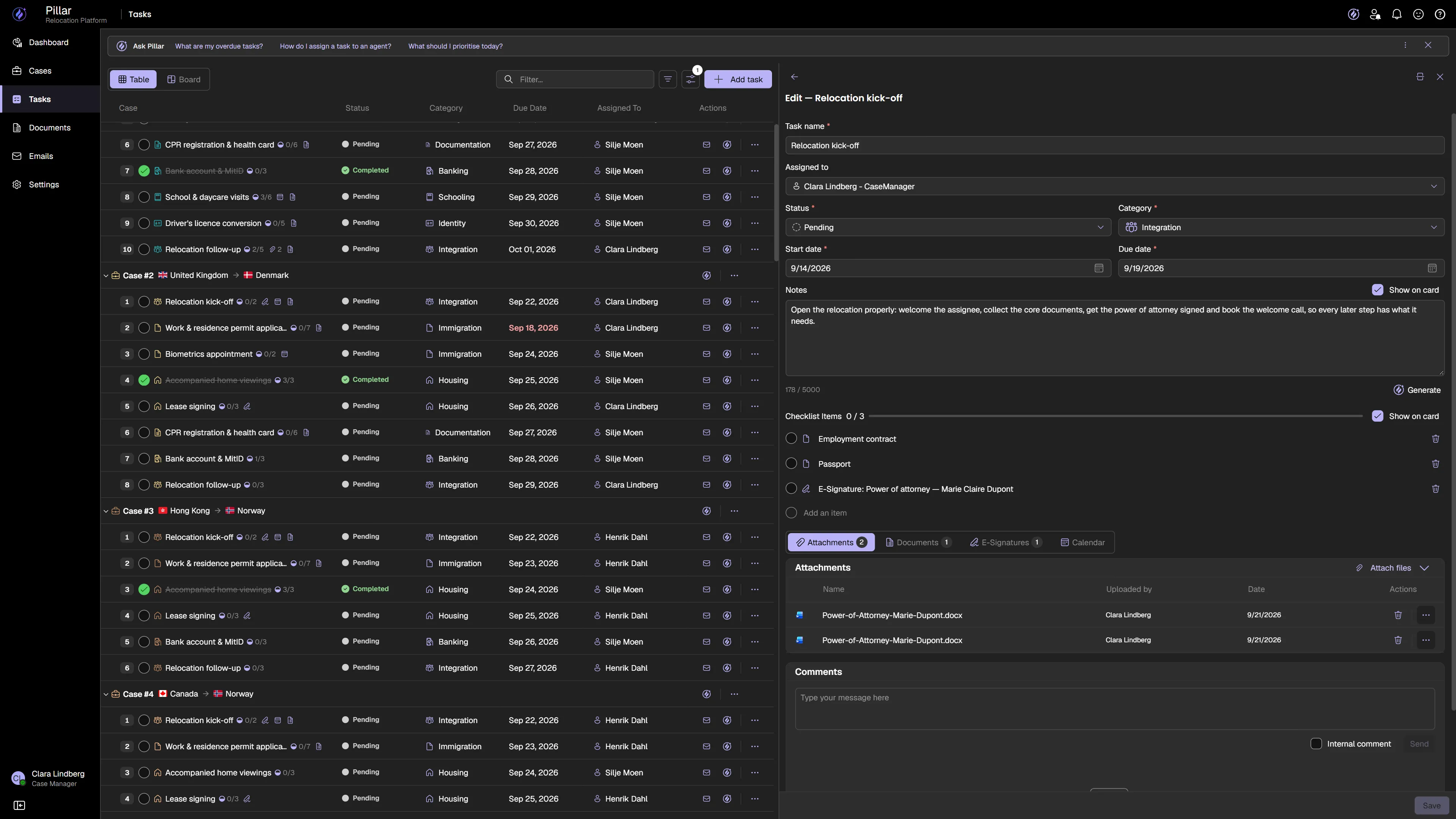
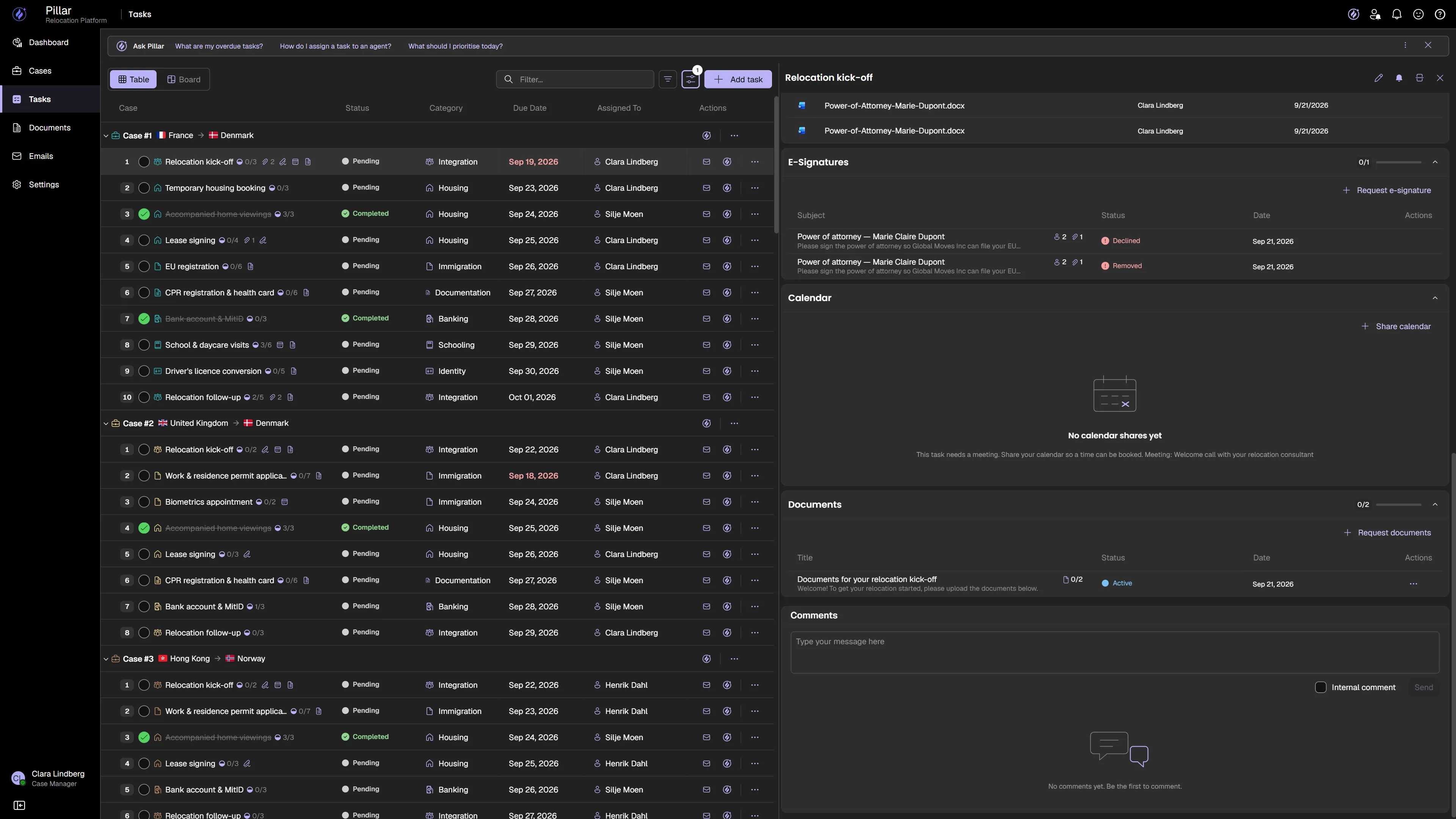
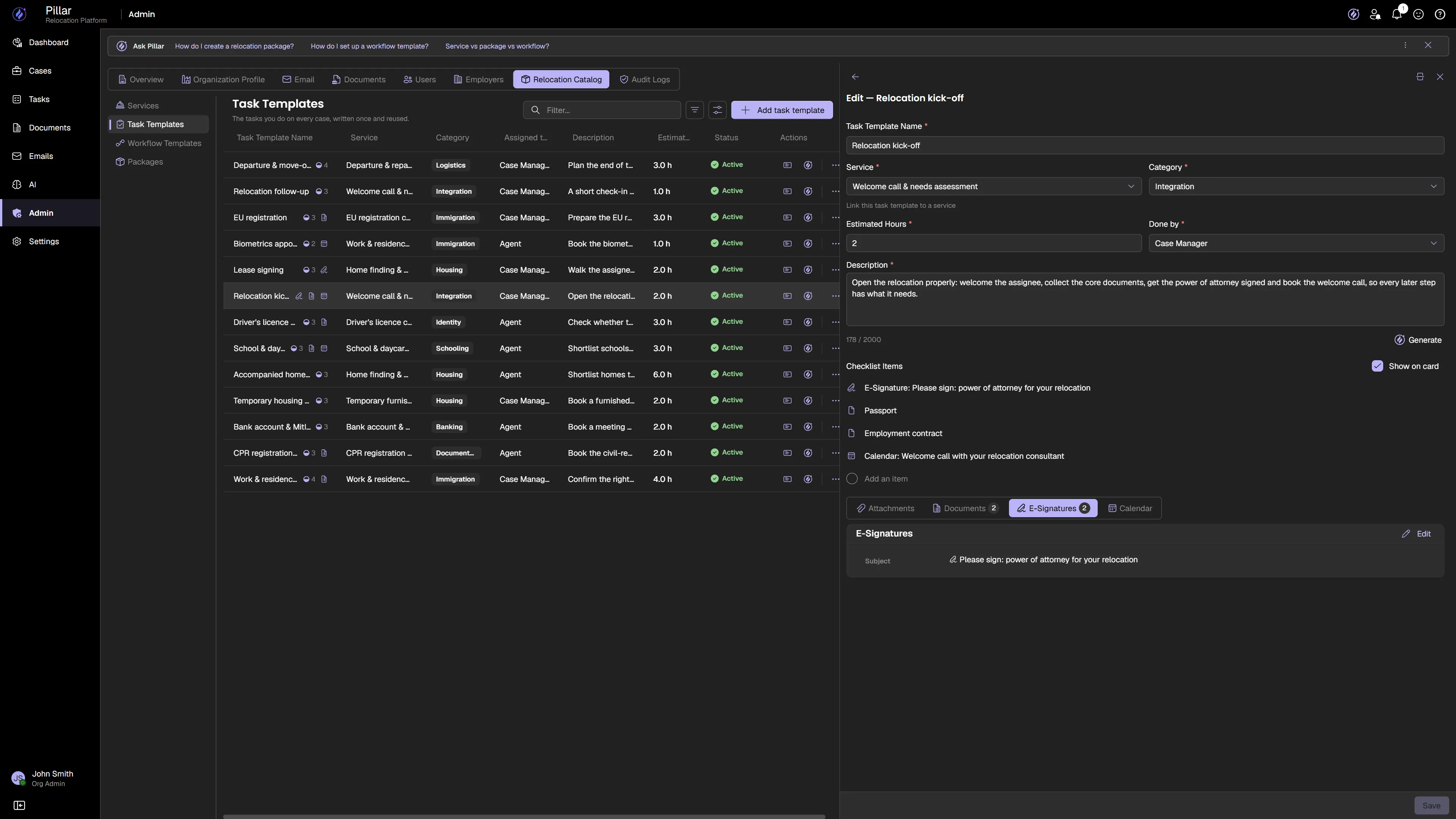
One step needs five files attached, a document collected, a power of attorney signed and the welcome call booked. In PILLAR they all live on that step — not in four different systems. Build it once into your template, and every case you open arrives with the whole step already set up.
The whole move happens together
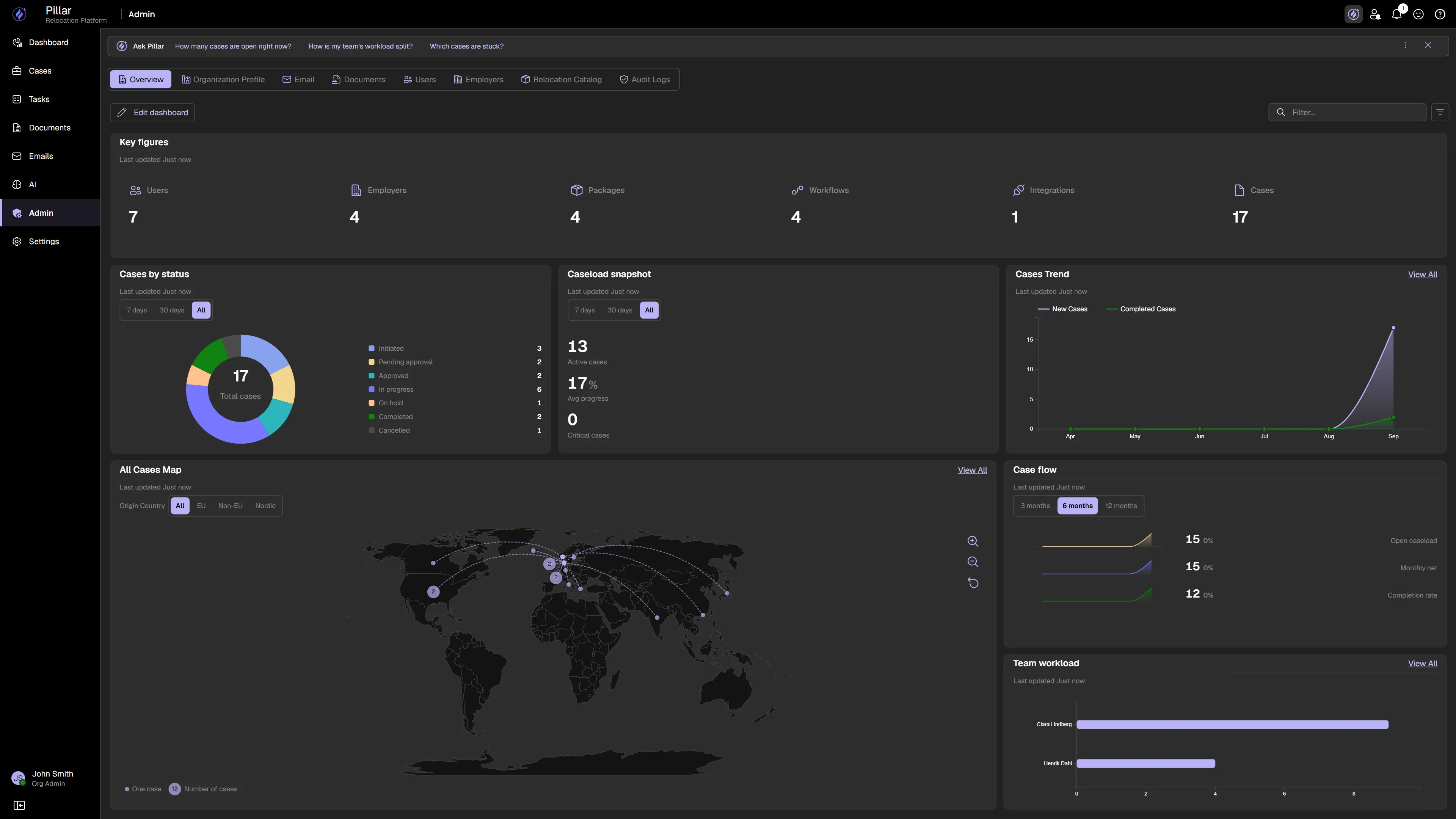
Transferees, employers, agents and your own team come together on one platform. Everyone sees the same move, at the same moment, and each step opens the next one on its own.
Move work forward automatically
Finish one step and the next one opens by itself. Nobody has to remember to tell the next person it is their turn.
See every hand-over
A change on the move reaches everyone working on it the moment it happens — not in tomorrow’s round of emails.
Bring anyone in with one email
An invitation, a link, and they are in. Nothing to install, nothing to set up, and only the part of the move that belongs to them.

- Transferee
- Employer
- Destination agent
Everyone meets the same move — and each of them sees their part of it.
Transferee · employer · destination agent — each with their own view
Intent becomes execution
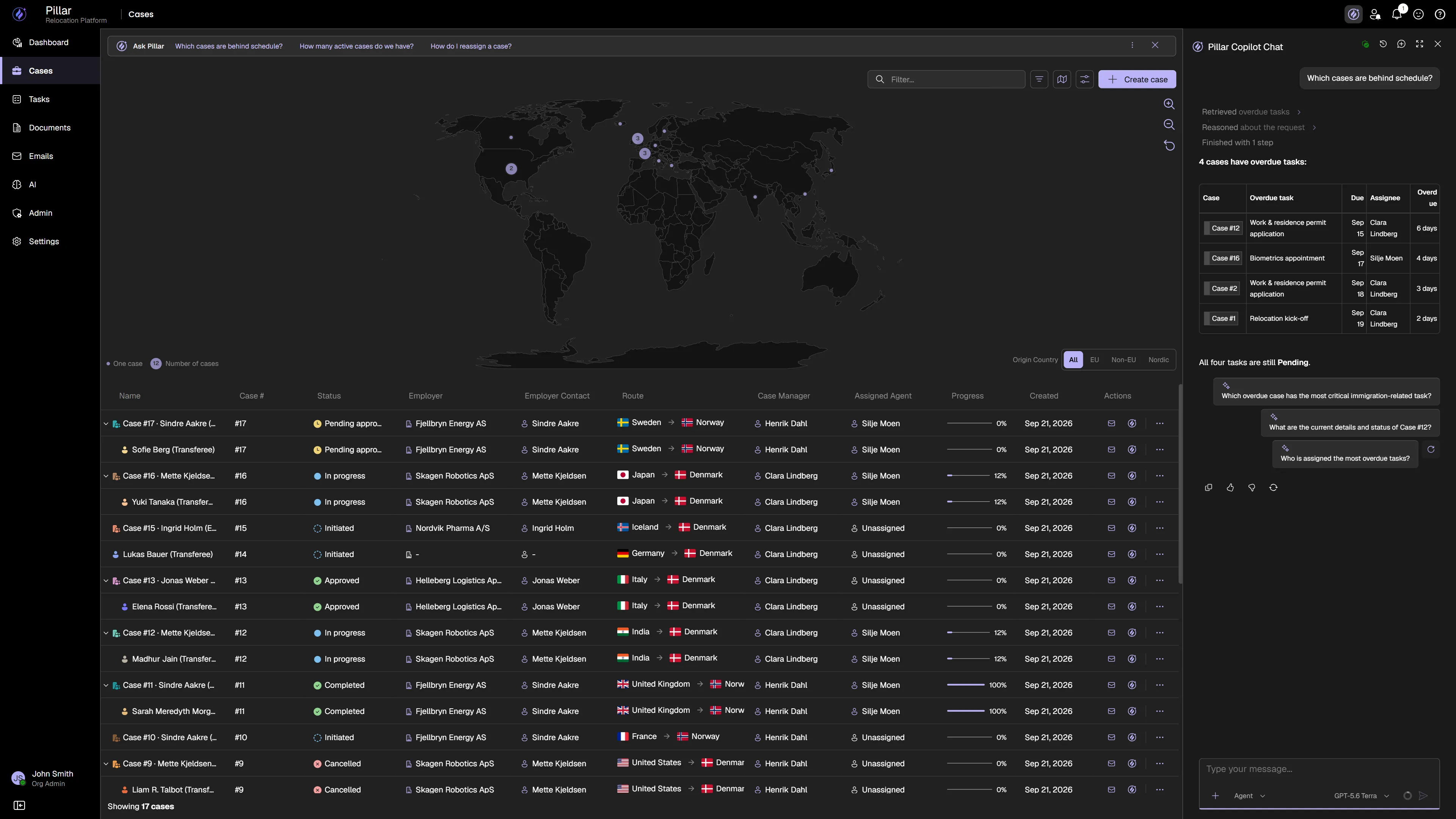
Tell the Copilot what needs to happen and it works out the steps itself — reading the case, checking the calendar, drafting the note. Anything that would change your data stops for a yes. Approve it and it runs; deny it and nothing happens. More than two hundred operations, all conversational, all logged.
Ask mode answers from your live data. Agent mode goes further: it plans the work, carries it out, and asks before it writes.
One request. Three steps planned, two carried out, and the one change that touches your data waiting on a yes.

It asks before it writes
Anything that would change your data stops and shows you exactly what it intends to do. Approve it and it runs. Deny it and nothing happens.
It works from your live data
No export, no copy, no overnight snapshot. It reads the same cases, tasks and calendars your team has open right now.
Two modes, one Copilot
Ask answers questions from live data and changes nothing. Agent plans the work and carries it out, step by step, in front of you.
Every action is recorded
Who asked, what ran and when — written to the case like any other change, so an AI action is as auditable as a human one.
PILLAR doesn't replace your tools — it orchestrates them
Your organization already runs on Microsoft 365 or Google. PILLAR connects to it. Calendars, documents, file storage, and collaboration stay where they are. Relocations start flowing through them.
Available now
Already on Microsoft 365? Nothing moves.
Calendars stay in Outlook. Documents stay in SharePoint and OneDrive. Sign-in stays with Entra ID. PILLAR reads and writes through them, so relocations flow through the tools your team already opens every morning.
Connect Microsoft 365Connected


Coming 2026
On Google instead? Same story.
The same connections are being built for Google Workspace — Calendar, Drive, Gmail and Meet — so a team on Google keeps its tools too. Available in 2026.
Coming 2026Coming soon


See PILLAR in action
Watch the platform in motion. From case creation to task completion — see how PILLAR brings relocations together.
Connected by default
Relocation requires dozens of systems. Most companies stitch them together manually. PILLAR connects them by default — so relocations just flow.


What used to be managed — now runs.
The systems behind relocation haven't changed in decades. More cases. More stakeholders. More coordination. The old model doesn't scale.
The case lives in several places, and none of them talk to each other
One place the whole case lives — and everyone sees the same version
Chasing landlords, movers and agents by email
One case everyone works in — AI drafts the emails, reads the documents, and opens the next step when the last one closes
Documents retyped into every system
Upload the passport once — PILLAR reads it and fills the fields
Corporate clients asking where things stand
Their own live view of every employee they've sent — what's done, what's next, what needs them
Status questions at midnight
Transferees get answers in their language, anytime
Design partner programme is open. PILLAR is already in use with our design partners in Denmark and Norway — and we're building it with the teams who run these moves every day.
Stop managing relocations. Start running them on infrastructure.
Relocation is becoming infrastructure. Join the pilot program — the operating system for global mobility, built for the people who deliver every move.
 PILLAR